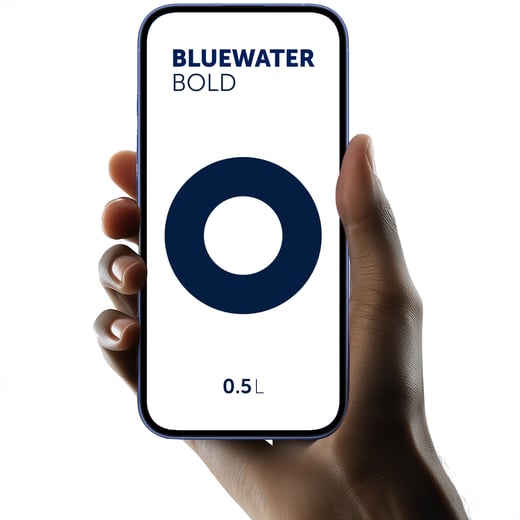
What is the Bluewater Serve App?
The Bluewater Serve App is a smartphone app that lets you control compatible Bluewater water purification units directly from your phone. Using Wi-Fi or Bluetooth, it enables you to adjust mineralisation levels, set dispensing volumes, and monitor your system's status in real time.
What are the key features of the Bluewater Serve App?
-
Mineralisation control: choose or adjust mineralisation levels — Light, Medium, or Bold — to customise the taste and health profile of your water.
-
Volume control: set precise dispense volumes per serve, ensuring consistent, waste-free pours every time.
-
Real‑time system monitoring: status of filters, warnings, and notifications when maintenance is needed.
-
Easy connectivity and control via smartphone. Currently available on iOS and iPadOS — download from the App Store, or visit the Bluewater website for the latest platform availability, including any upcoming Android support.
Benefits for You
-
Take full control of water quality and taste directly from your phone — no manual system adjustments needed.
-
Simplifies maintenance by alerting when filters need replacing or when system service is due.
-
Enhances the user experience of Bluewater systems by enabling personalisation and smart monitoring.
-
Supports sustainability and cost‑saving by optimising settings and reducing water waste.
Installation & Use
-
Download the app from the App Store (iOS) and install on device. Apple
-
Open the app and create a Bluewater account, or log in if you already have one. Connect your Bluewater unit via Wi-Fi or Bluetooth, depending on your model. Refer to your unit's documentation to confirm which connection method is supported.
-
Pair the unit via the app and perform initial setup: select mineralisation level, set default volume, check system status.
-
Use the app to monitor usage, check alerts, and adjust settings over time.
-
Follow suggested maintenance prompts, such as checking filters or flushing cycles.
Why use the Bluewater Serve App?
The Bluewater Serve App puts you in complete control of your water purification system — from mineralisation and serve volume to proactive maintenance alerts. It's the smarter, more sustainable way to get the most from your Bluewater system, delivering the premium, personalised hydration experience Bluewater is known for. Ready to get started? Download the Bluewater Serve App from the App Store today, or visit the Bluewater website to find your compatible system.